

Work ChartCamel
ChartCamel
Charts from pasted data
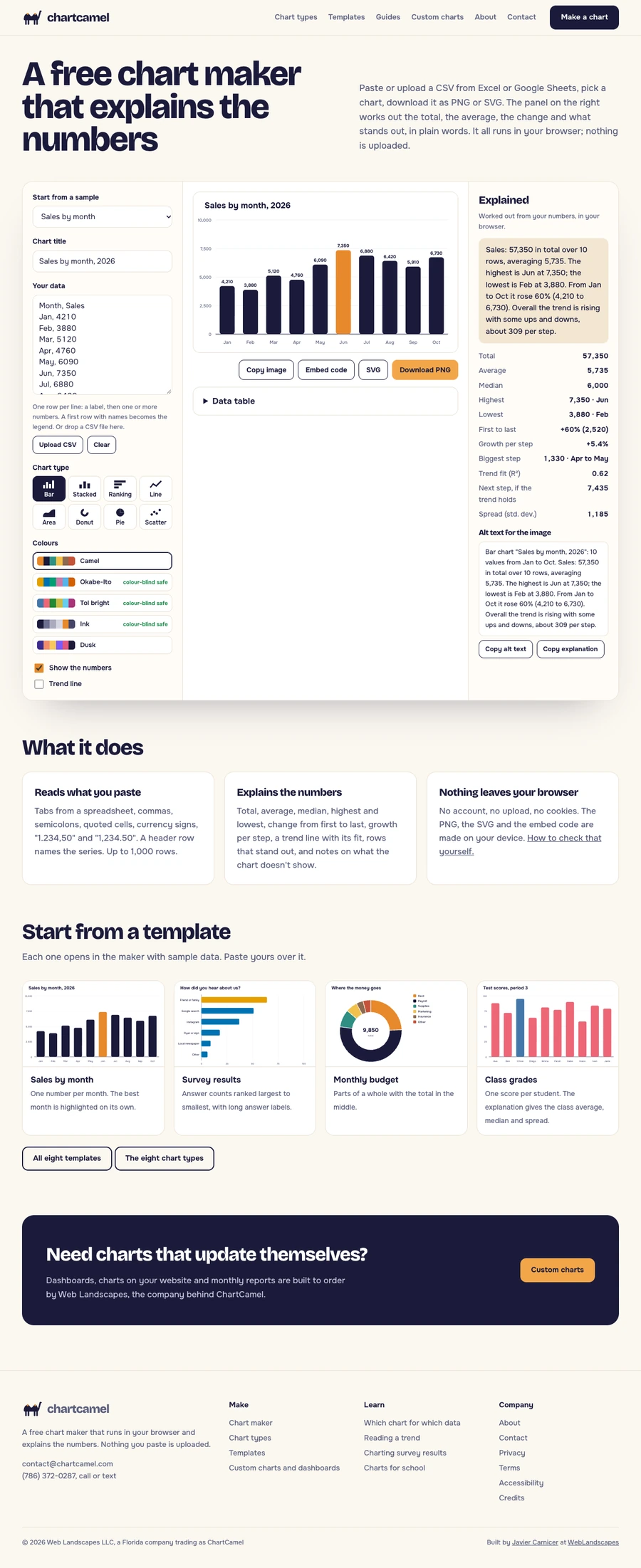
A free chart maker that explains the numbers: paste or upload a CSV, pick one of eight chart types, download a PNG or SVG, and read the total, average, change and trend in plain words. Nothing is uploaded.
What it had to do
People paste data into chart tools and still have to explain the chart. ChartCamel does both: a chart worth putting in a report and the sentences that go under it.
Paste, then read
Data from Excel or Google Sheets becomes a chart and a panel with totals, averages, change, a trend line and the rows that stand out.
Eight types, eight templates
Bar, stacked, ranking, line, area, donut, pie and scatter, with templates that open with sample data.
Ready to use
PNG, SVG, an embed code with the summary as its caption, alt text and a data table.
Nothing uploaded
No account, no upload, no cookies: it all runs in the browser.
On the record
